
Bluetooth Device Encryption Guide
Before you start the encryption, make sure that the latest firmware version is installed on your Bluetooth device. To check for updates, go to Device settings > Firmware update. For more information, check our Shelly Knowledge Base.
Step 1: Select the Bluetooth Device
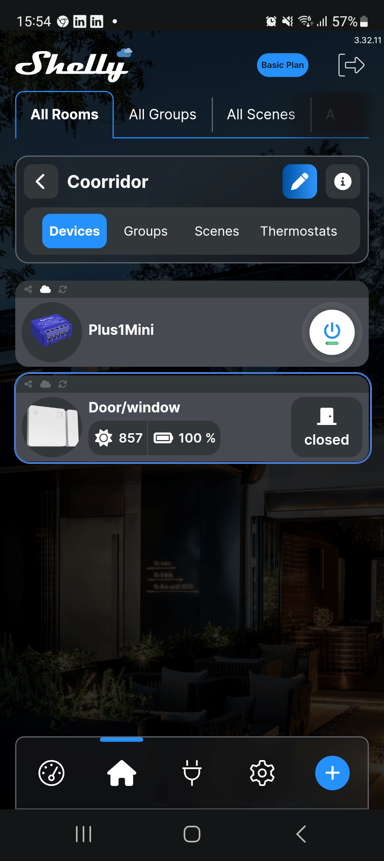
- Select the Bluetooth device that you want to encrypt.
Step 2: Access Security Settings
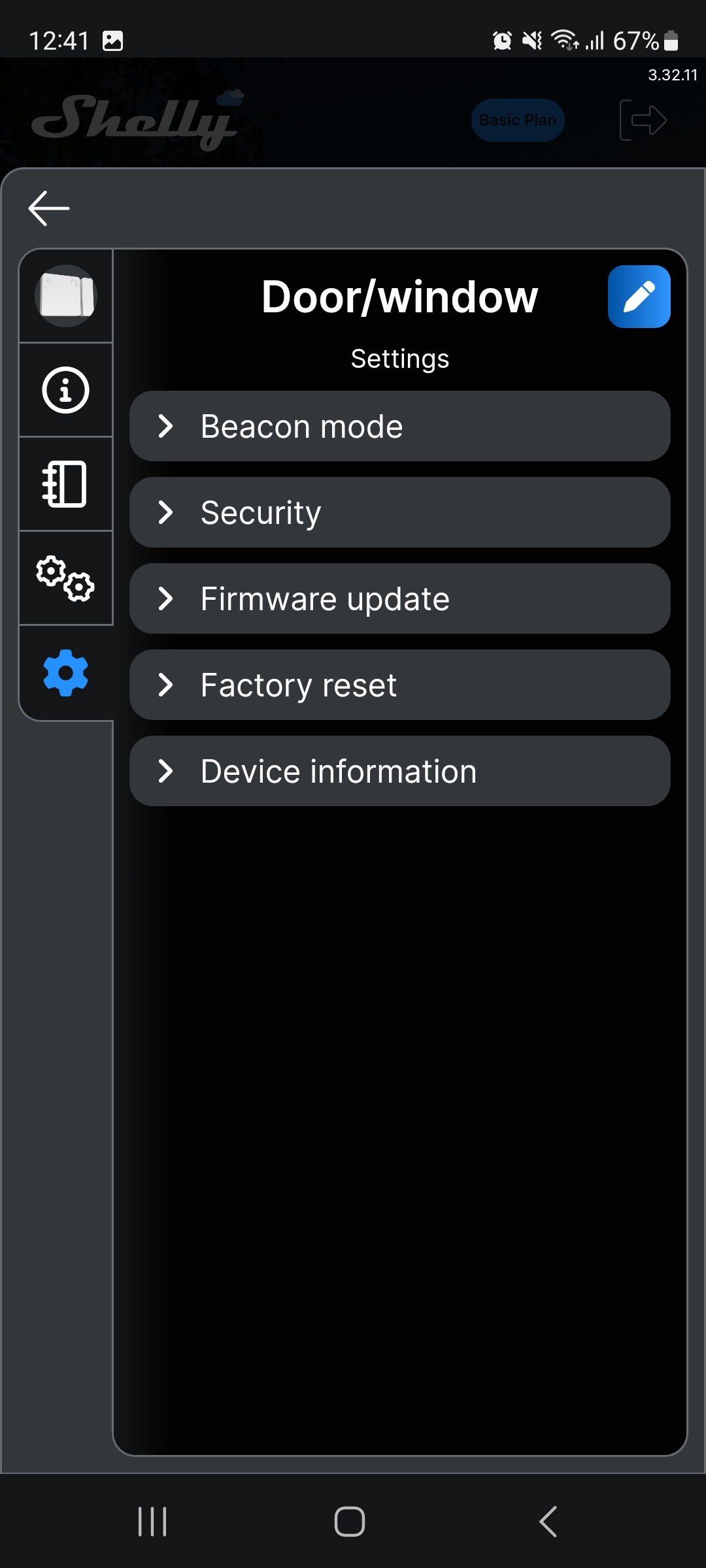
- Go to Settings > Security.
Step 3: Initiate Encryption
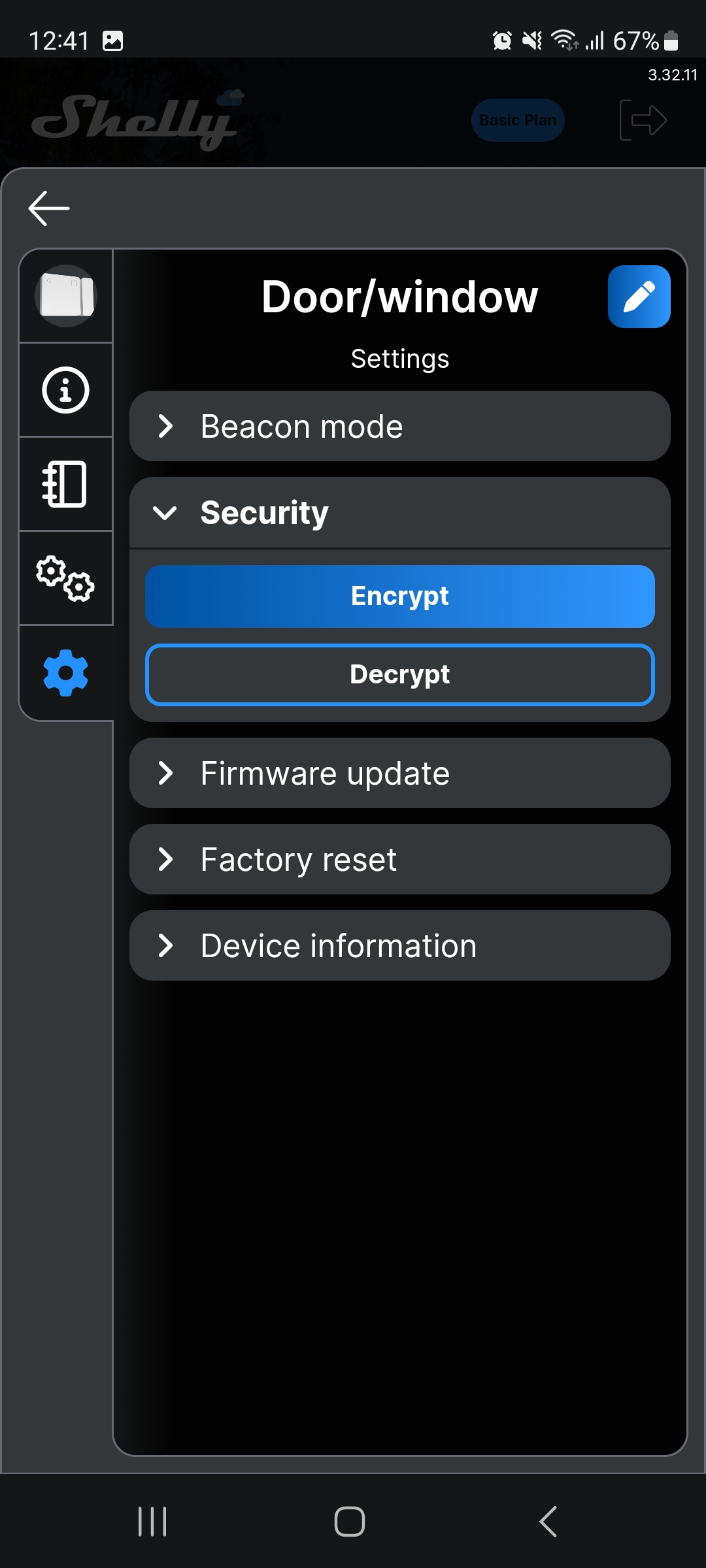
- Select Encrypt.
Step 4: Set Passcode and Confirm
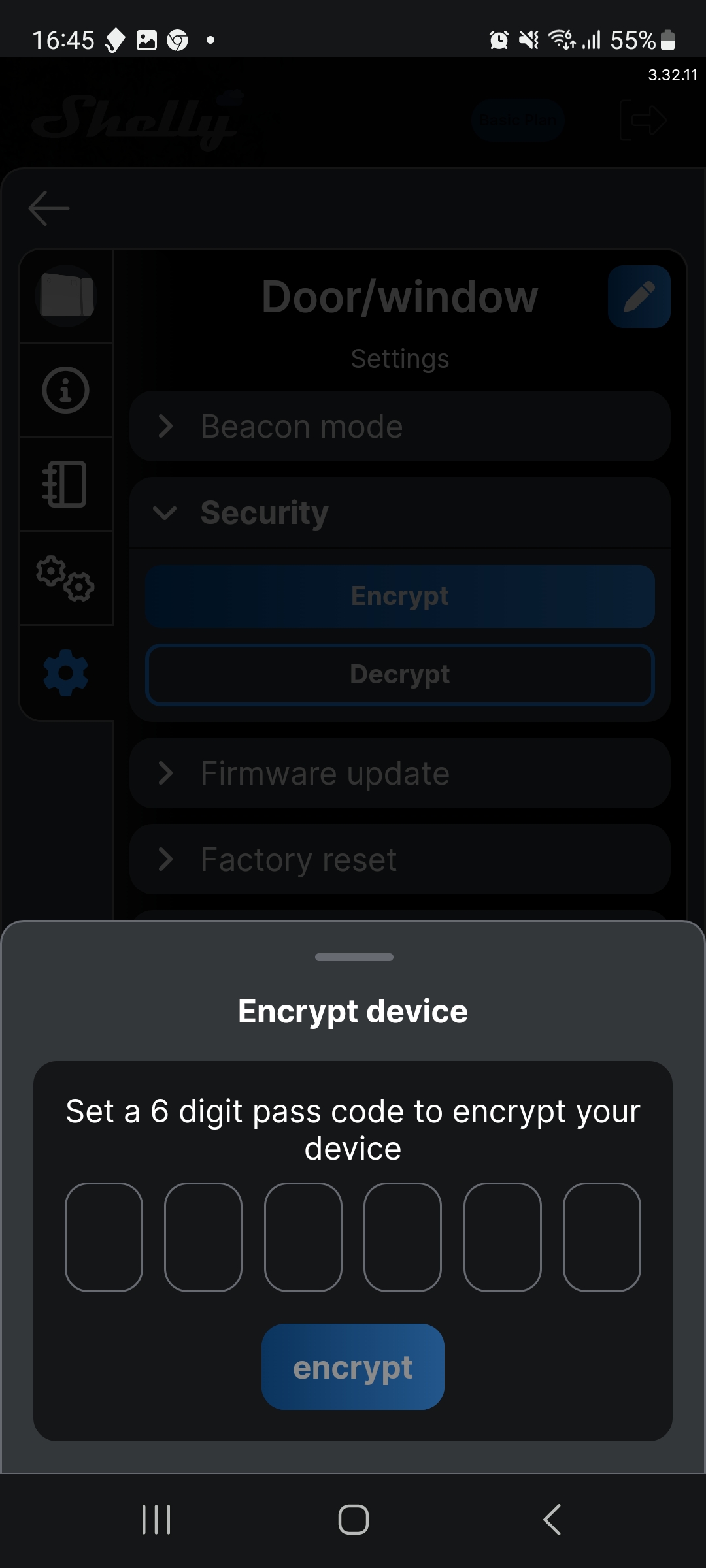
- Set a 6-digit passcode to encrypt the device.
- Tap Encrypt.
- A prompt will appear asking you to press the device button.
Step 5: Press the Device Button
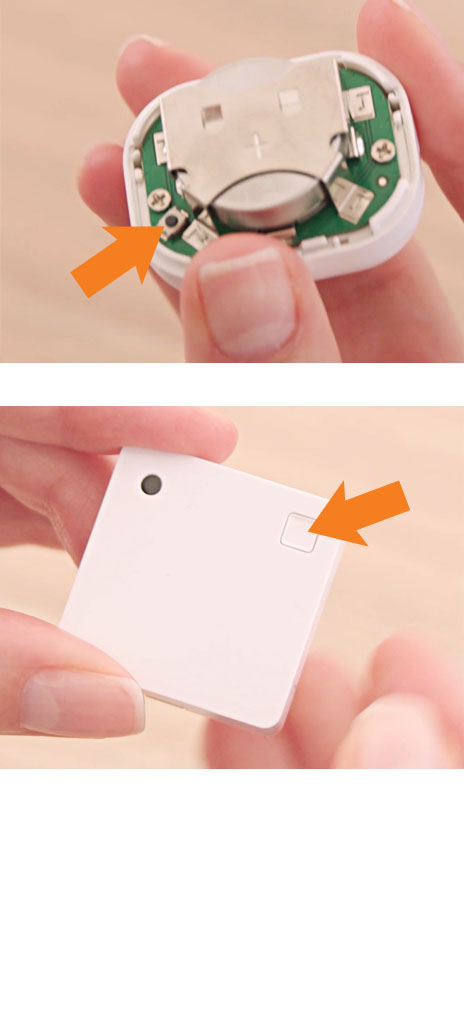
- Press the device control button.
Final Step: Encryption Complete
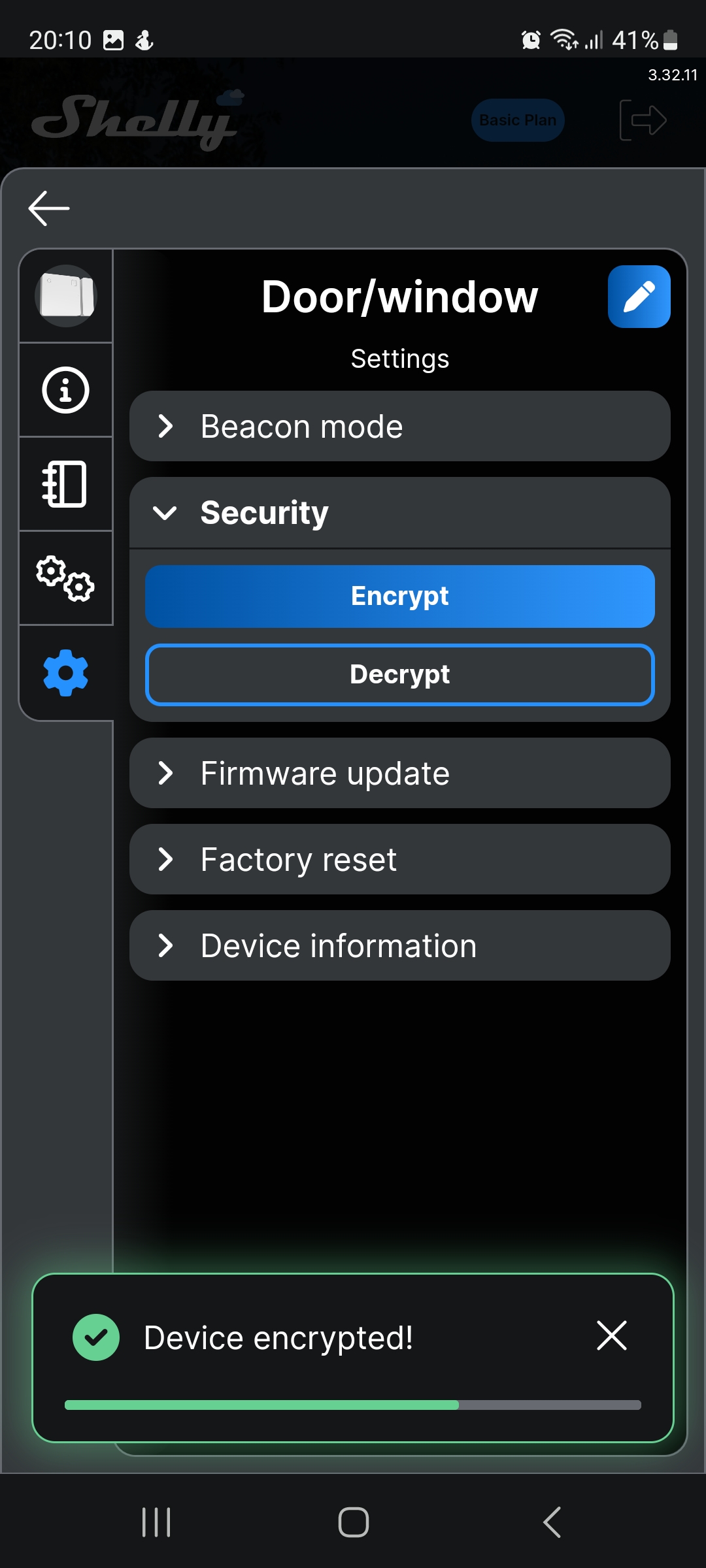
- The encryption process is now complete.